
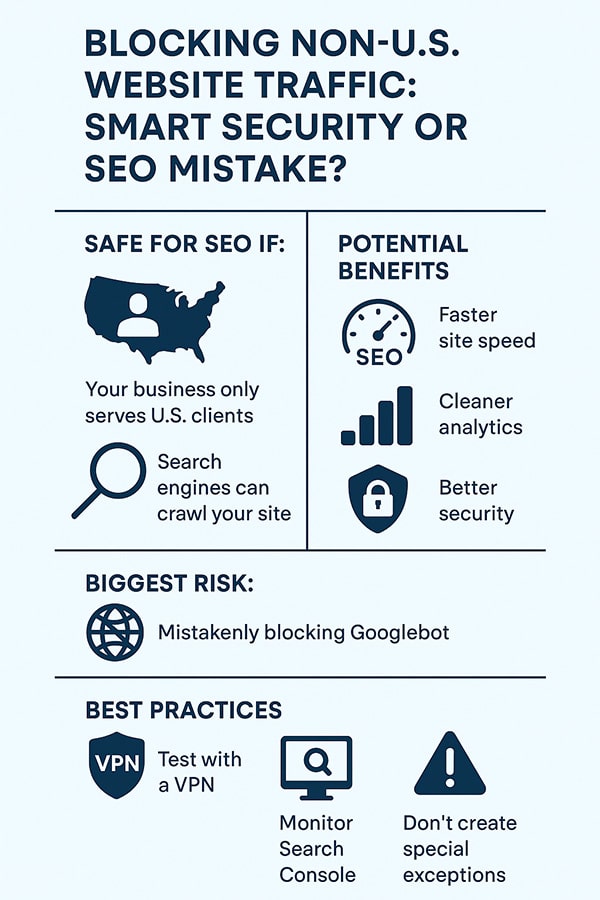
 If your business serves only customers in the United States and you’re seeing a lot of spam, fake leads, or bot traffic from overseas, blocking or challenging non-U.S. visitors can help. Many small business owners use this technique to clean up analytics, reduce spam, and improve site performance.
From an SEO standpoint — the main thing to avoid is blocking legitimate search crawlers (like Googlebot).
 What Google Says (and What You Need to Know)
 What Google Says (and What You Need to Know)
- According to Google’s own documentation for “locale-adaptive pages,” their crawler may access your website from IP addresses inside or outside the U.S. (“geo-distributed crawling”).
- Their advice: if you block visitors based on location, treat the crawler the same as any visitor from that location. In other words: don’t block or redirect only real humans — treat bots like normal users.
- If Googlebot can still access your pages, blocking other countries does not inherently trigger a penalty. You’re just refusing access to users (or bots) from certain countries — which is allowed.
A Safer Way to Block: Use a “Soft Challenge” Rather Than a Hard Block
Hard-blocking foreign IPs (e.g. returning 403 or redirecting them) risks catching Googlebot or other legitimate bots if they crawl from outside the U.S. That could result in crawl errors, indexing issues, or pages disappearing from search results.
Instead — especially if you’re using a free CDN or firewall plan — a “soft challenge,” like the Cloudflare “JS Challenge,” works better. Bots generally can’t solve it; human visitors that matter (i.e. your U.S. customers) proceed normally; and search crawlers usually get through.
What You Could Lose — or Break — With a Blanket Country Block
- If Googlebot (or another crawler) hits the geographic block, it might show up as a crawl error or “blocked” in the vetting tools (e.g. Google Search Console). That stops indexing or page updates.
- Some legitimate “helpful” traffic — international links, referrals, content-sharing outside the U.S. — would also be blocked. If you ever expand, publish content for a broader audience, or want backlinks, that might limit your reach.
- Geo-blocking is not a crystal-ball solution to security or spam: attackers can still route through proxies or VPNs located in allowed countries. Geo-blocks mainly weed out broad, untargeted noise — not determined or savvy attackers.
When Blocking Makes Sense — and What “Done Right” Looks Like
Blocking or challenging non-U.S. visitors tends to make sense when:
- You only serve U.S. customers.
- Most of the foreign traffic is spam, bots, or fake leads.
- You don’t rely on international backlinks, content sharing, or global visibility.
If you go this route — do it carefully, using a “soft challenge” (not a hard block), and test regularly (e.g. via VPN + Search Console) to ensure bots and crawlers still have access.
That way you get many of the benefits (cleaner data, fewer spam leads, less overload), without risking SEO or indexing problems.
Don’t Take MY Word For It
- Search Engine Journal — Google: If Blocking a Country’s Traffic, Don’t Block Googlebot
- Google Developers — Locale-Adaptive Pages & Geo-Distributed Crawling
- Webmasters StackExchange — Does Country Blocking Affect SEO?
- Cloudflare Community — JavaScript Challenge & SEO
- Website SEO Checker — How Blocking Visitors From Certain Countries Affects SEO and UX
- Kashmer Interactive — Blocking Traffic From Other Countries & Its Effect on Google Rankings
- Security StackExchange — Does Geo-Blocking Countries Increase Security?


Leave A Comment